CRM Import-Ready Contact Cleanup
Fully asynchronous - no meeting required.
Who it's for
Small sales and ops teams, and agencies, that need to import a messy contact list into HubSpot, Zoho, GoHighLevel, Pipedrive or another CRM without spending a day fixing it by hand.
The problem
Exports and event or vendor lists arrive with duplicates, merged name columns, broken emails, mixed phone formats and blank required fields. Imports fail or create duplicate records that someone has to clean up later.
What you get
- output_import_ready.csv: your contacts with headers set for your CRM and object (HubSpot built in; for Zoho, GoHighLevel, Pipedrive or another CRM we use the field names you give us).
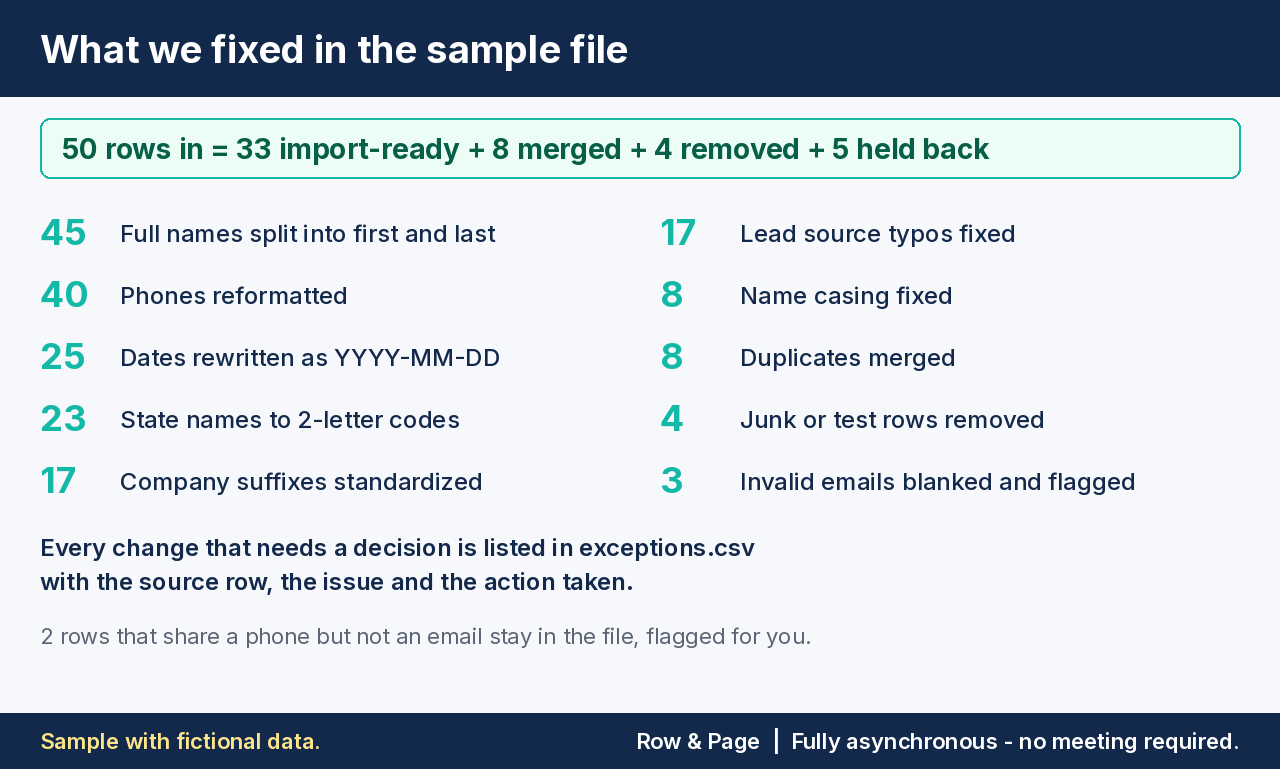
- exceptions.csv: every row changed, merged, flagged or held back, with the reason.
- dedupe_report.csv: which row was kept, which was merged into it, and why.
- summary: reconciled row counts plus step-by-step import instructions.
Price, row limits and delivery
| Package | Rows | Price | |
|---|---|---|---|
| Starter | up to 250 | $49 | Buy - $49 |
| Standard | up to 500 | $95 | Buy - $95 |
| Premium | up to 2,000 | $175 | Buy - $175 |
Delivery within 48 hours after we receive your file, with 1 revision. Files over 2,000 rows: email us for a custom quote before paying.
Accepted formats
One file, CSV or XLSX (first sheet), up to your package's row limit.
Matching rules (defaults, changeable at intake)
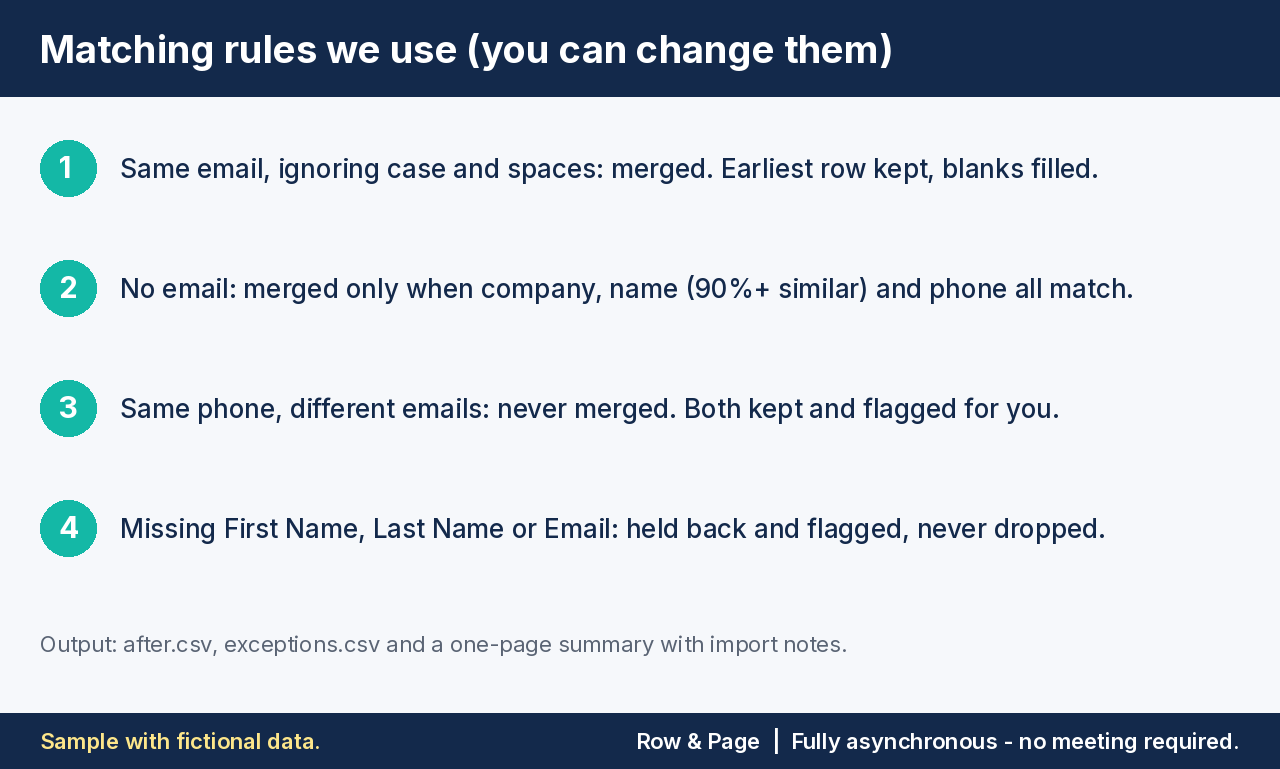
- Same email (ignoring case and spaces): merged into one record; blank fields filled from the duplicate.
- No email: merged only when company, name (fuzzy match 90%+) and phone all match.
- Same phone, different emails: flagged, not merged. Both rows stay and are listed for you to decide.
- Rows missing a field your CRM requires are held back and listed, never dropped silently.
Acceptance criteria
- Row counts reconcile: rows in = rows out + merged + rejected.
- No exact email duplicates in the output.
- Every phone uses the agreed format (unparseable ones are blanked and listed).
- A 20-row test import into your CRM succeeds using our instructions.
Not included
- No data enrichment or lookups of missing emails, phones or titles.
- No mail-server email verification (format checks only).
- No login to your CRM; you run the import with our instructions.
- No dedupe against records already in your CRM unless you include that export in your row count.
- No custom objects, workflows or automation changes.
Revision policy
One revision included: send rule changes within 7 days of delivery and get a revised file within 48 hours. New files or extra rows are a new order. If a delivery fails an acceptance criterion and the revision doesn't fix it, we give you a full refund.
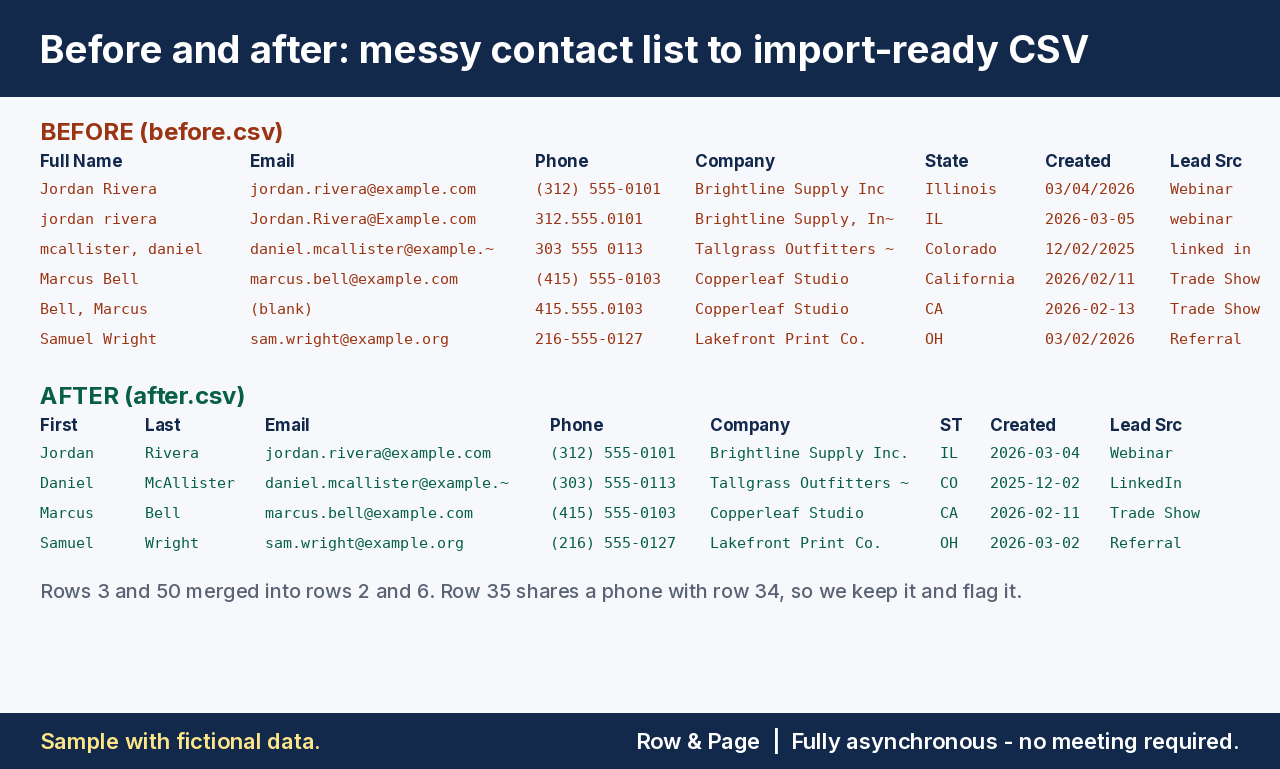
Sample: before and after (fictional data)
Sample with fictional data: all names, companies and emails are made up (example.com, example.org). 50 rows in = 33 import-ready + 8 merged + 4 removed + 5 held back; counts reconcile.
How to order
- Choose a package and pay by checkout above. Enter your CRM at checkout.
- Email your file to rowandpage@proton.me with your order email in the subject.
- Get your files within 48 hours of receipt.
Intake checklist (include in your email)
- Target CRM and object (Contact, Lead, Company/Account)
- Approximate row count
- Matching rule: default or your change
- Required fields for your import
- Phone format: (555) 123-4567 or +15551234567
- Columns to keep or drop, and any custom fields to map
- Confirmation that you have the right to share this contact data for this purpose
Send only the columns you need imported. Do not include passwords, card data, health information or government ID numbers. For extra protection, share a view-only cloud link or an AES-encrypted ZIP with the password in a separate email.
Privacy
Your file is processed locally and is never uploaded to third-party AI tools. Input and output files are deleted 14 days after delivery.
Fully asynchronous - no meeting required.